
Create targeted WhatsApp campaigns, select the right audience, personalize messages, schedule delivery and track campaign performance—all from one place.
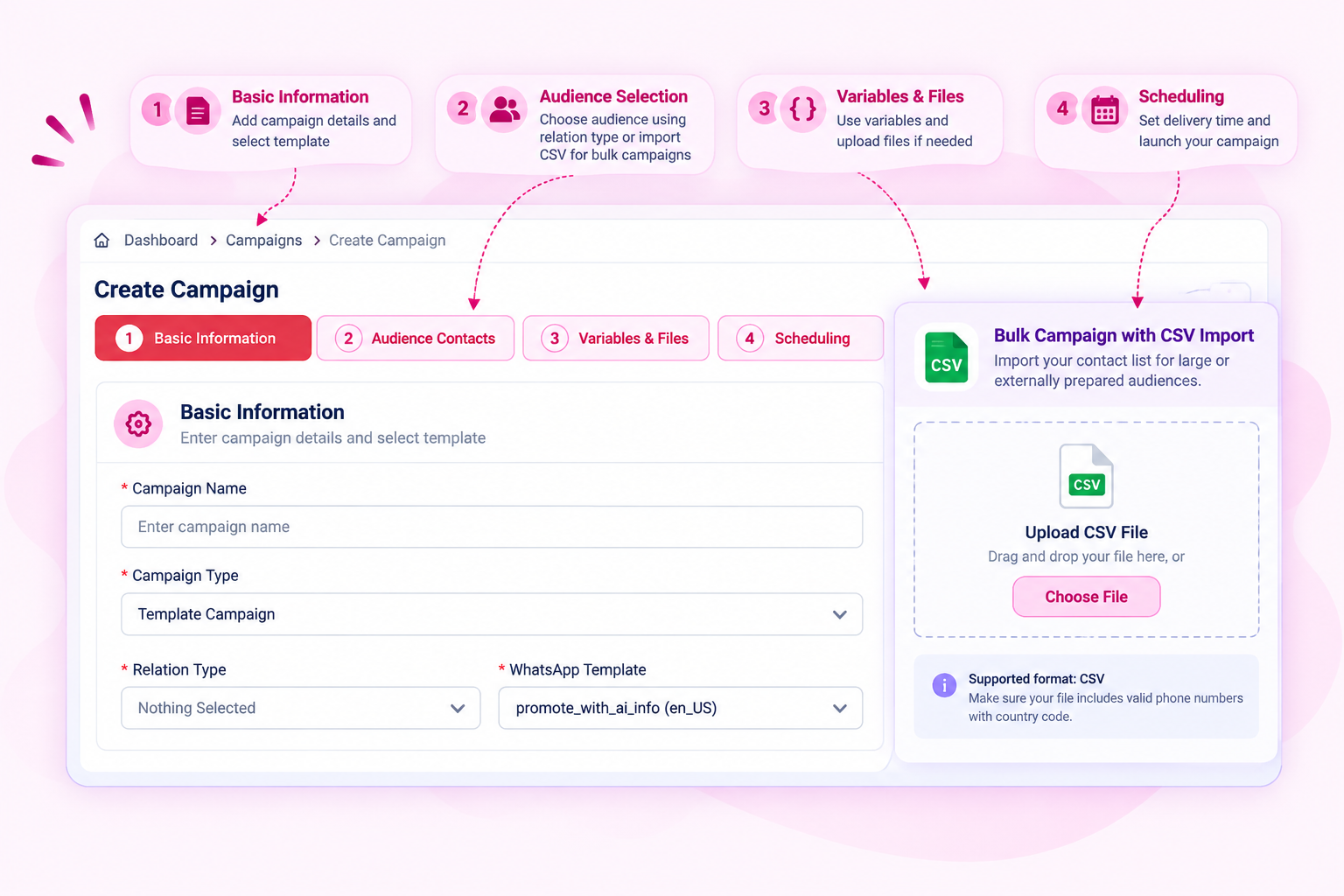
Start a campaign by defining its basic details, choosing the appropriate campaign type, relation type and WhatsApp template. Bizdoot gives you a guided campaign creation flow so you can prepare your message and audience step by step before sending.
For larger or externally prepared audiences, you can also use the Bulk Campaign workflow and import contacts through a CSV file.
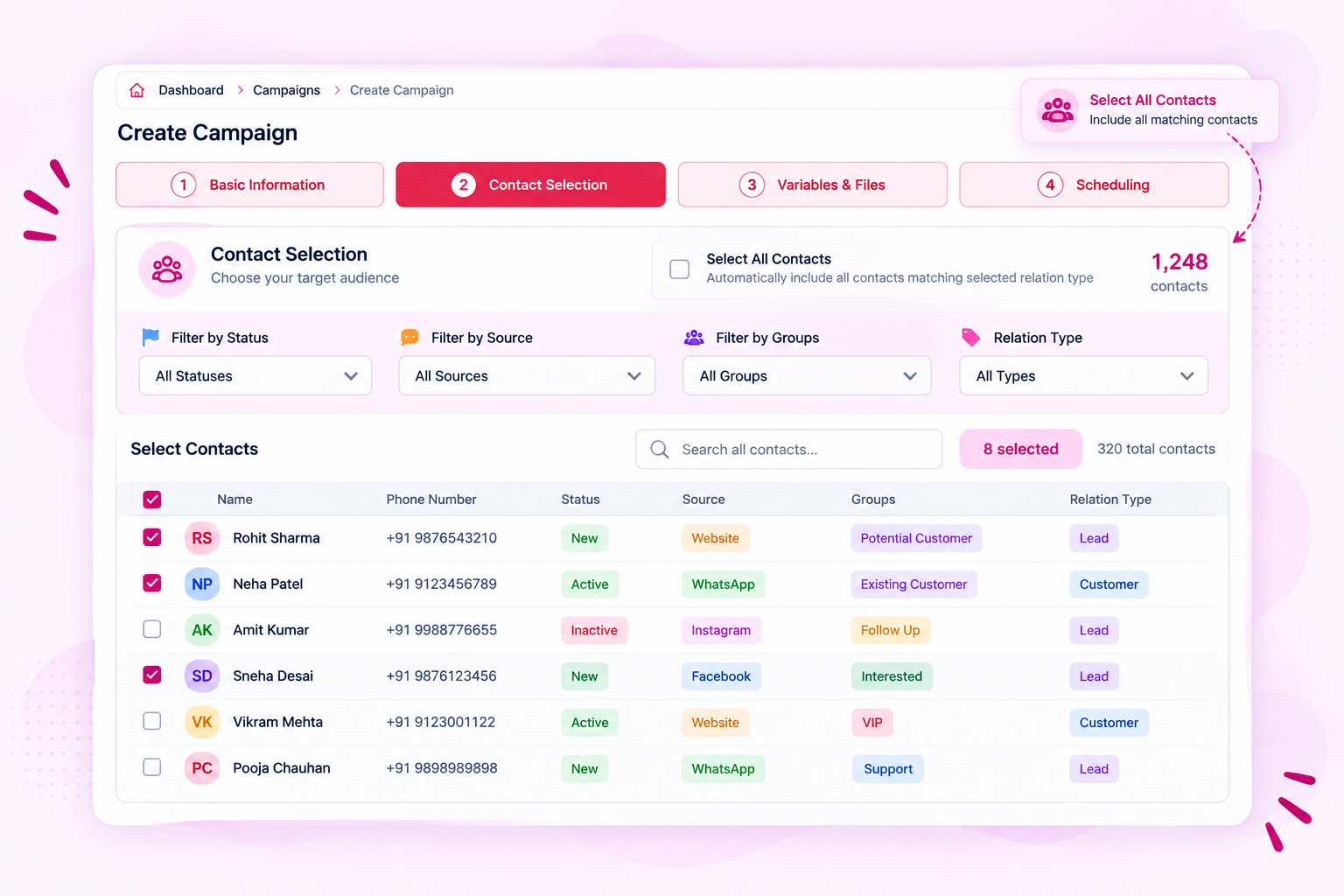
A successful campaign starts with the right audience. Select contacts individually, select all matching contacts, or narrow your audience using available filters.
Campaign targeting can be refined using status, source and groups, while the selected relation type helps you work with the relevant customer relationship segment. Search makes it easier to locate specific contacts when needed.
This gives you more control over who receives your campaign, instead of treating your entire contact list as one audience.
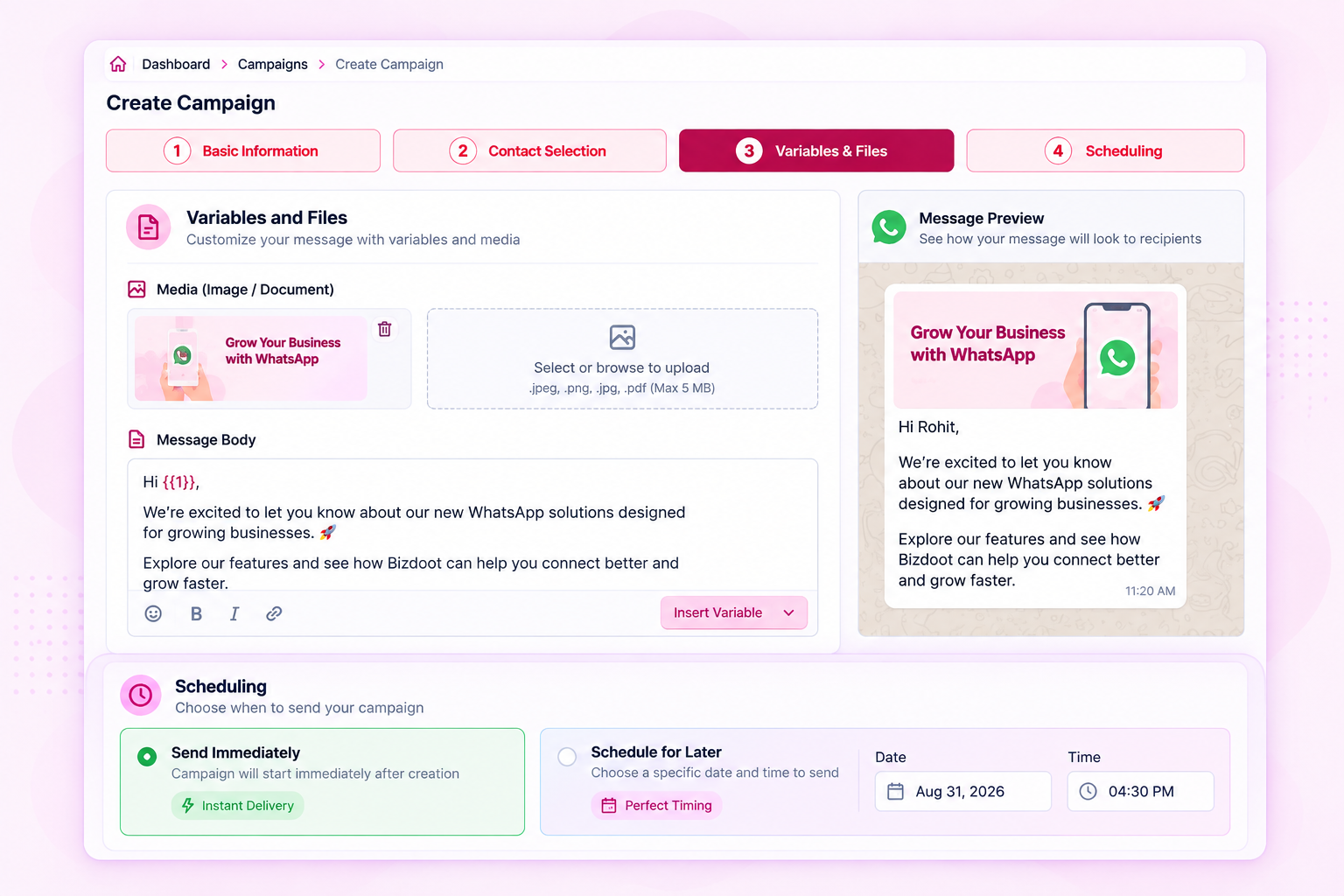
Campaign messages can be customized with variables so recipient-specific information can be included in the message. Media can also be added where supported by the selected template.
Once your campaign is ready, choose how you want it to go out: send immediately or schedule it for a specific date and time.
Whether you’re sending now or planning ahead, the campaign remains organized within the same workflow.
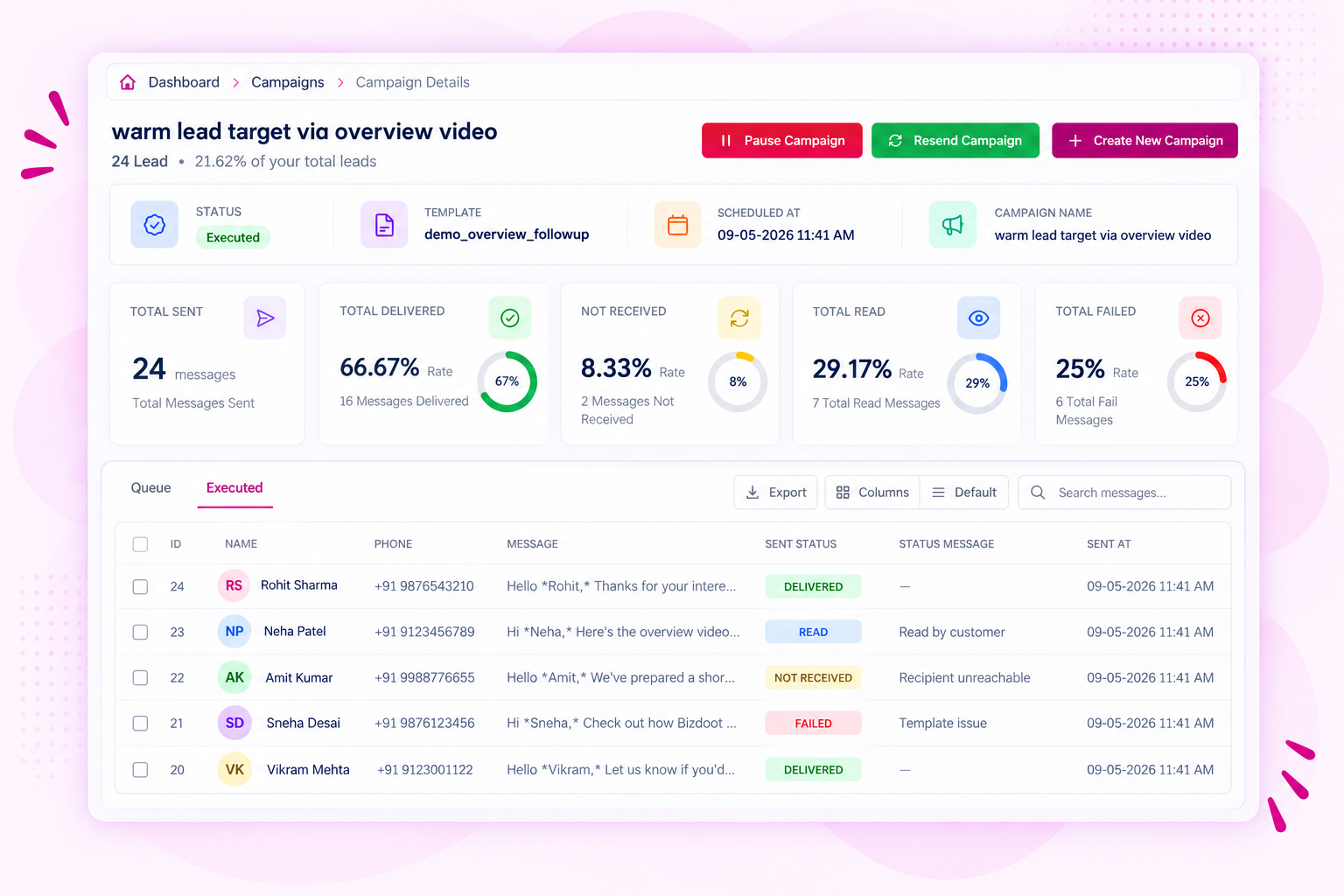
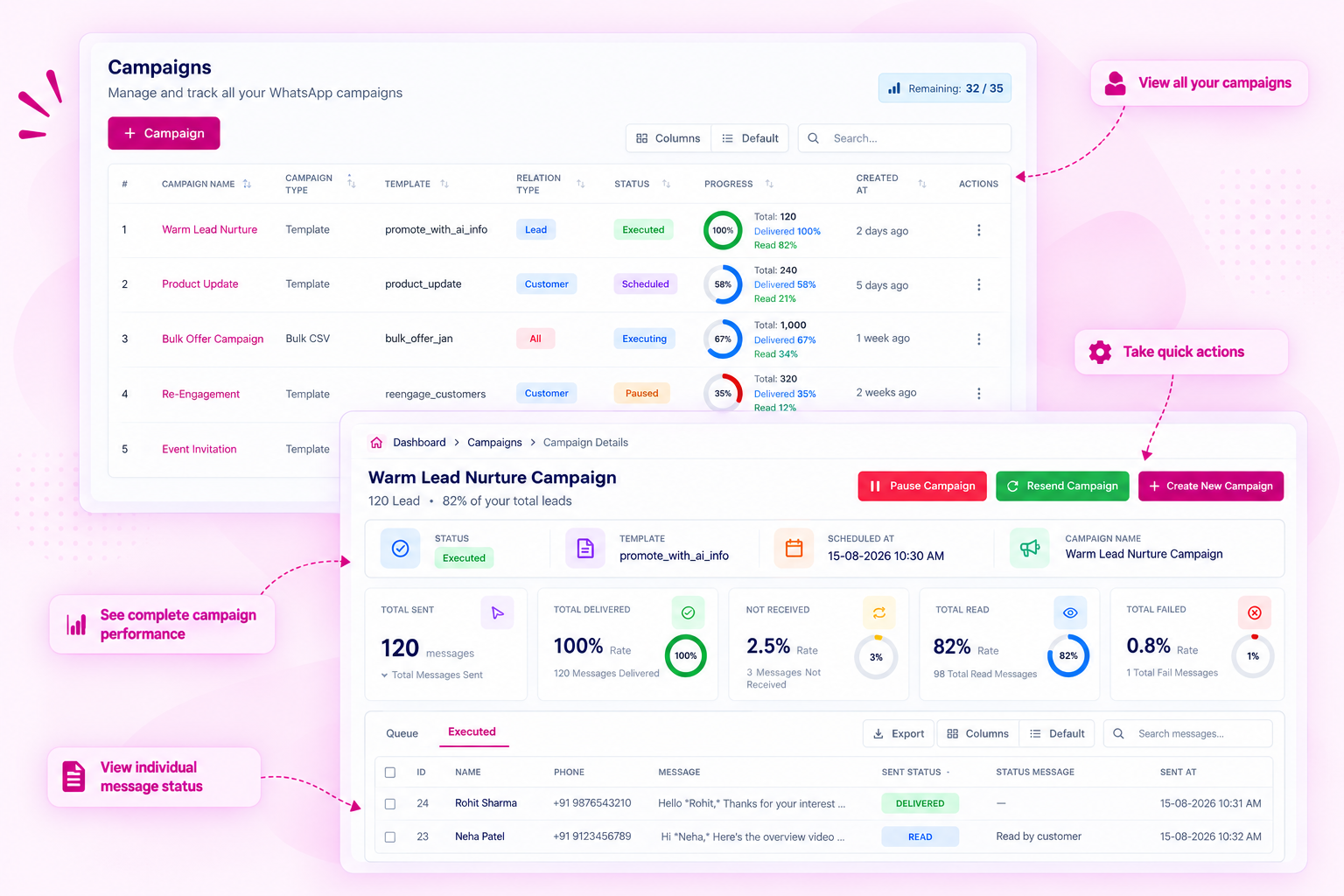
Sending a campaign is only the beginning. Campaign details provide a clear view of how your messages performed after execution.
Track key delivery outcomes such as total sent, delivered, read, not received and failed messages. The campaign list also gives you an at-a-glance progress view, while the detailed campaign view lets you inspect individual message records and their sending status.
You can also search, filter, customize columns and export campaign data when you need to work with the results outside the immediate campaign view.
Your campaign history gives you a centralized view of campaigns that have been created, including their campaign type, template, relation type, status, progress and creation details.
From individual campaign details, you can take further actions such as pause an active campaign, resend a campaign or create a new campaign. This makes it easier to manage ongoing campaigns and follow up when needed.
For bulk messaging workflows, the same campaign-oriented approach helps keep externally prepared contact lists and their message activity organized within the platform.
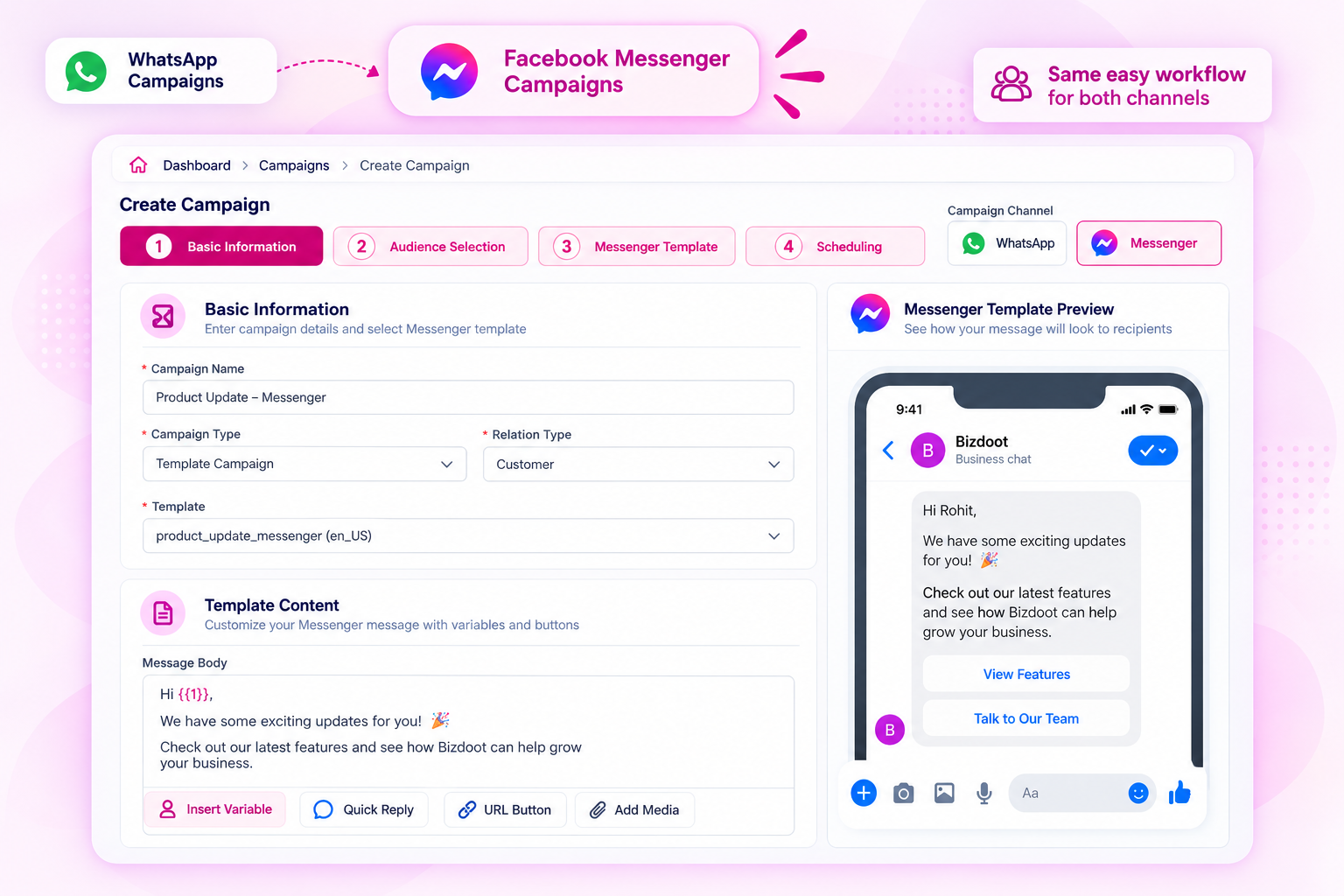
Bizdoot also lets you create and manage campaigns for Facebook Messenger from the same platform. Create reusable Messenger Templates, personalize messages with contact variables, add supported buttons, select your audience, schedule campaigns and preview messages before they are sent.
Whether you’re reaching customers through WhatsApp or Facebook Messenger, you can manage your campaign workflows with the same structured approach—while using the channel that fits your audience and communication needs.
Create targeted WhatsApp campaigns, communicate at the right time and understand how your messages perform—all from one place.

First of all you need to sign up or login before accessing the template library. So please go and do signup or login, and then see this section in the dashboard.