
Manage your WhatsApp customer conversations from one shared workspace. Bring multiple agents together, assign conversations, use AI-assisted replies, control automation and keep important customer information within reach.
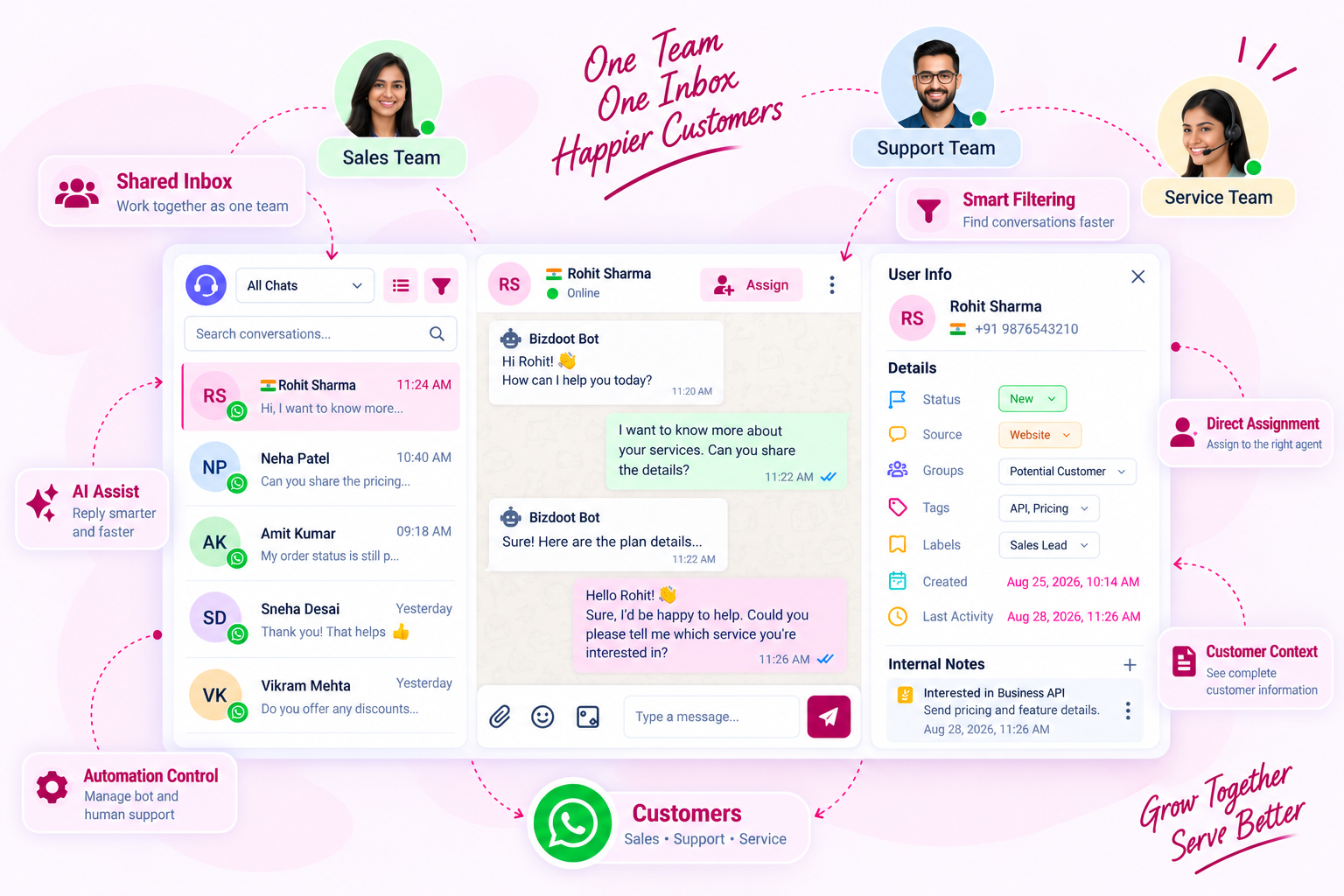
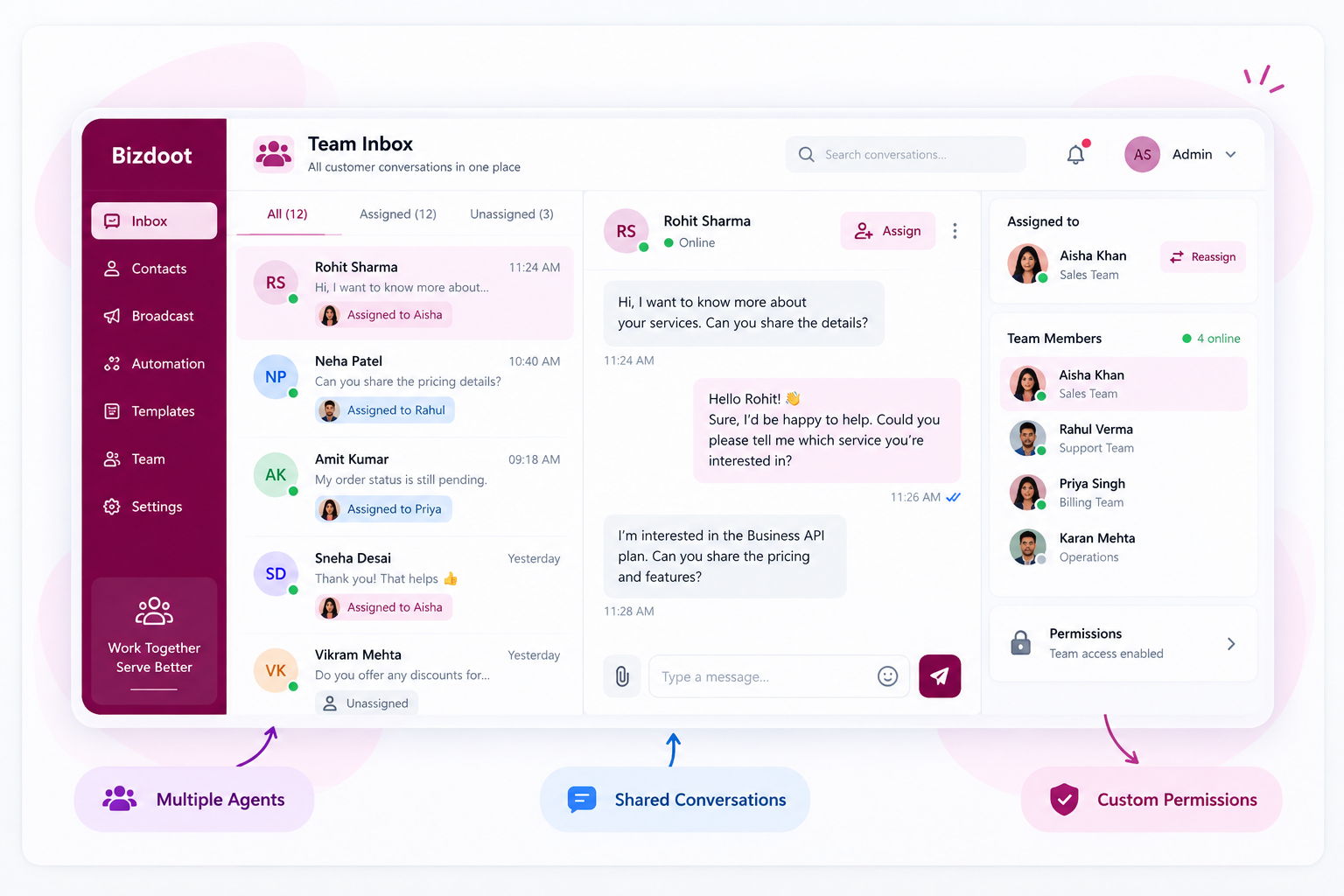
Managing customer conversations becomes easier when everyone works from the same place. Team Inbox lets multiple team members handle conversations through a single WhatsApp number, while keeping responsibilities clear across the team.
Assign individual conversations directly to the right agent and use custom permissions to control what different team members can access. This keeps conversations organized, reduces unnecessary handoffs and helps the right person take responsibility for each customer.
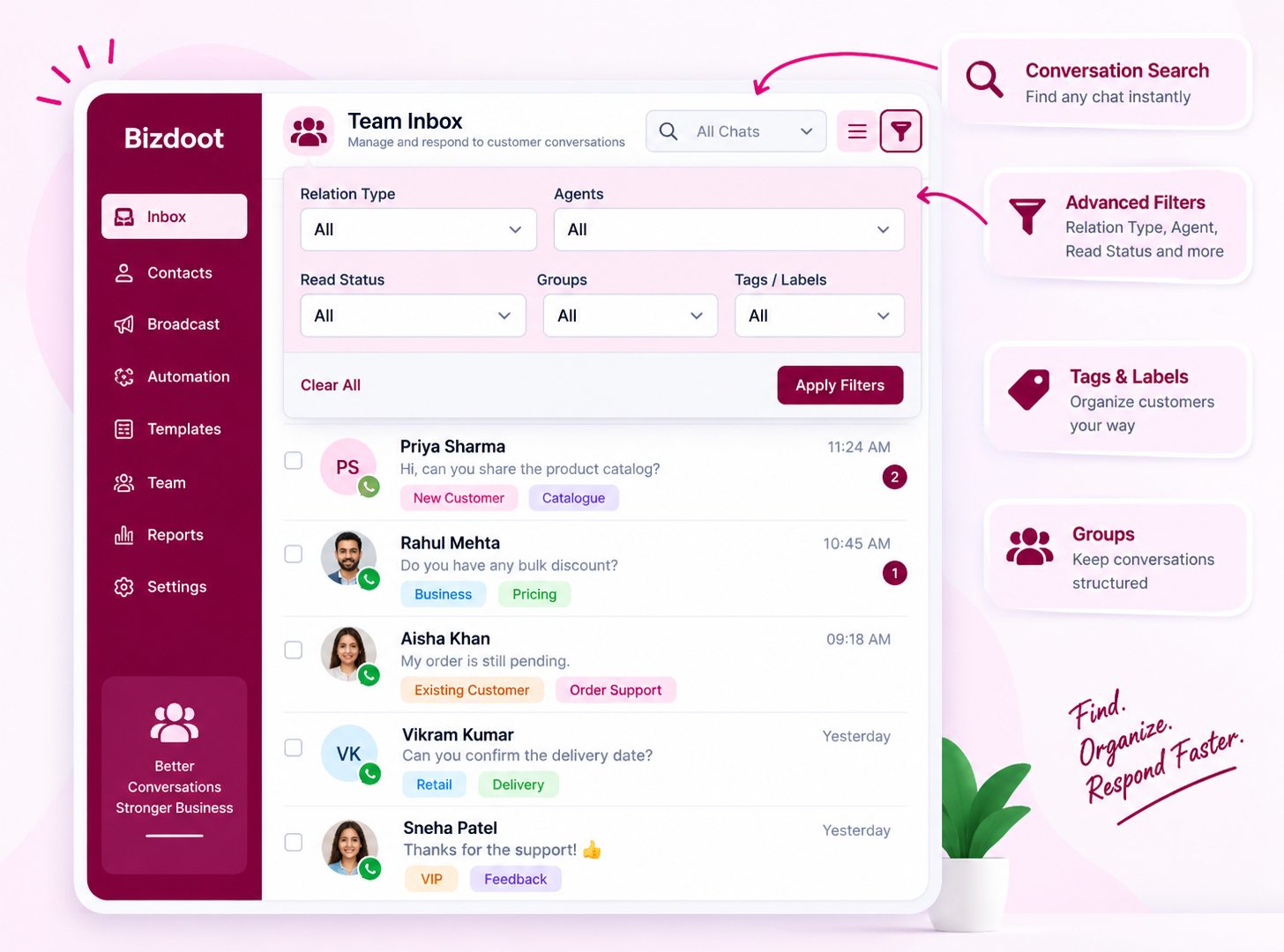
A busy inbox can quickly become difficult to navigate. Team Inbox gives your agents practical tools to find the right conversation without going through the entire inbox manually.
Search conversations directly and narrow down the inbox using filters such as Relation Type, Agent and Read Status. Once you have found the right customers, use Groups, Tags and Labels to organize them according to your business requirements.
Whether you need to find an unread conversation, see chats assigned to a particular agent, or work with a specific customer category, your team can get to the right conversations faster.
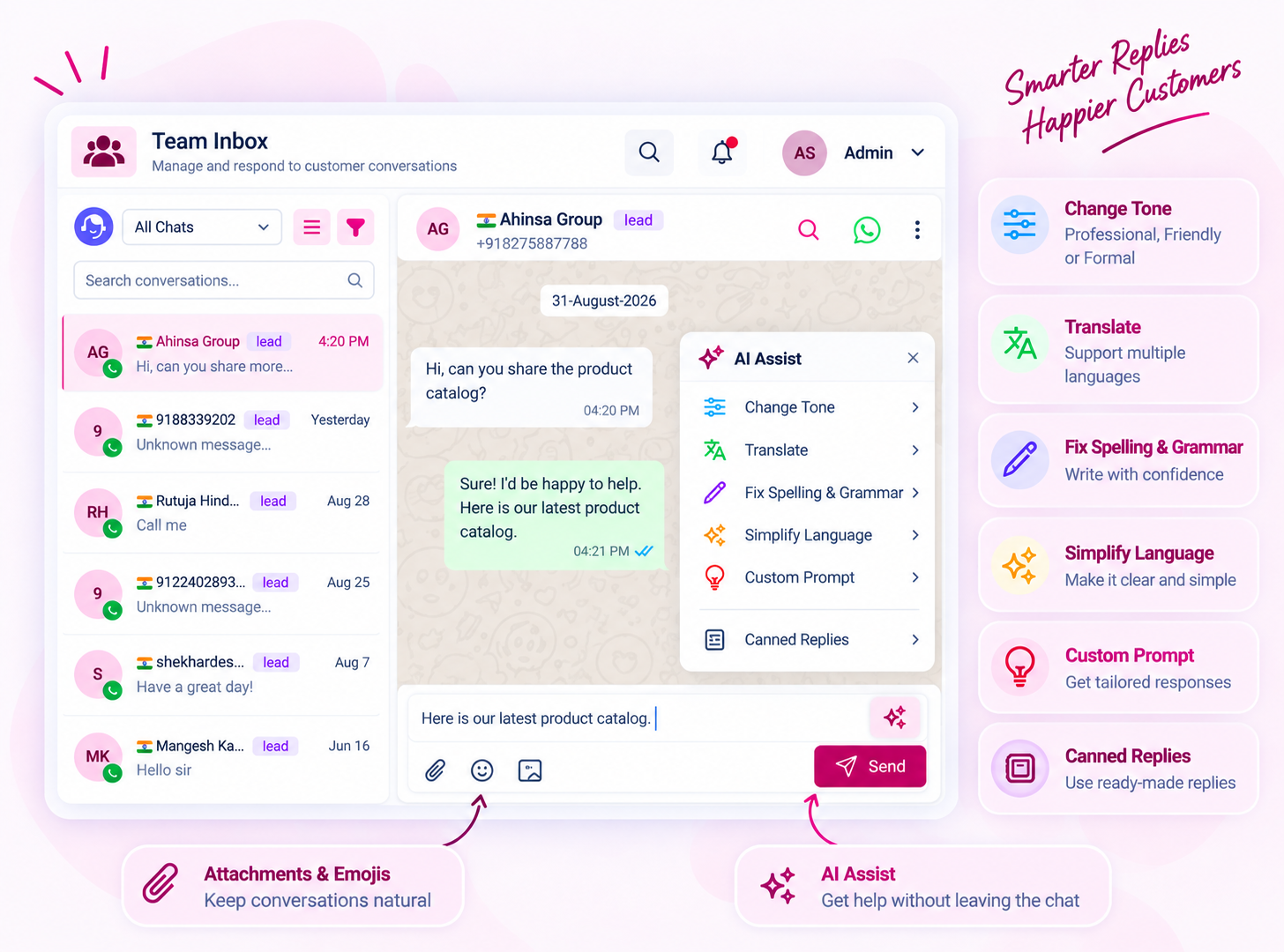
Good customer communication isn’t only about replying quickly—it is also about replying clearly and appropriately. AI Assist works directly inside the conversation to help agents improve their responses before sending them.
Agents can change the tone, translate messages, fix spelling and grammar, simplify language, or use a custom prompt to shape a response according to the situation. For frequently handled conversations, Canned Replies can speed up common responses, while attachments and emojis keep everyday communication natural and flexible.
Everything stays within the conversation, so agents can get assistance without breaking their workflow.
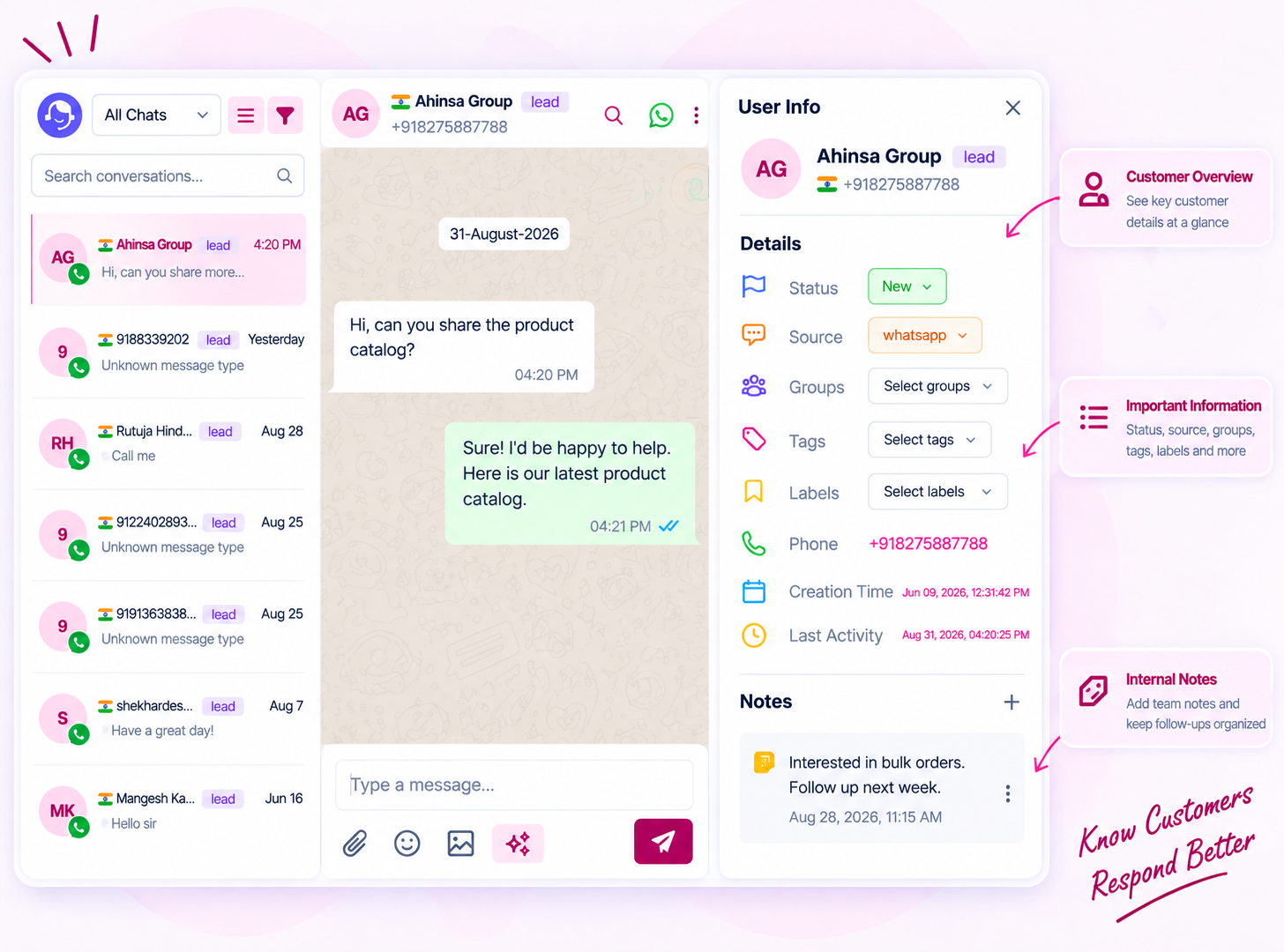
A conversation tells only part of the story. Team Inbox gives agents access to important customer information alongside the chat, helping them understand who they are communicating with before taking action.
The User Info panel can show details including status, source, groups, tags, labels, phone number, creation time and last activity. Agents can also add internal notes to keep important requirements, reminders or follow-up information available to the team without putting those details into the customer conversation.
With customer information and internal notes available in the same workspace, agents can respond with better context and continuity.
Automation can take care of routine interactions, but not every customer conversation should remain automated. When a situation requires personal attention, agents can stop the bot and take control of the conversation directly from the inbox.
And when a WhatsApp template is required, agents can send a template message directly from the conversation, keeping communication moving without switching to another workflow.
This gives your team the flexibility to combine automated conversations with real human support whenever the situation calls for it.
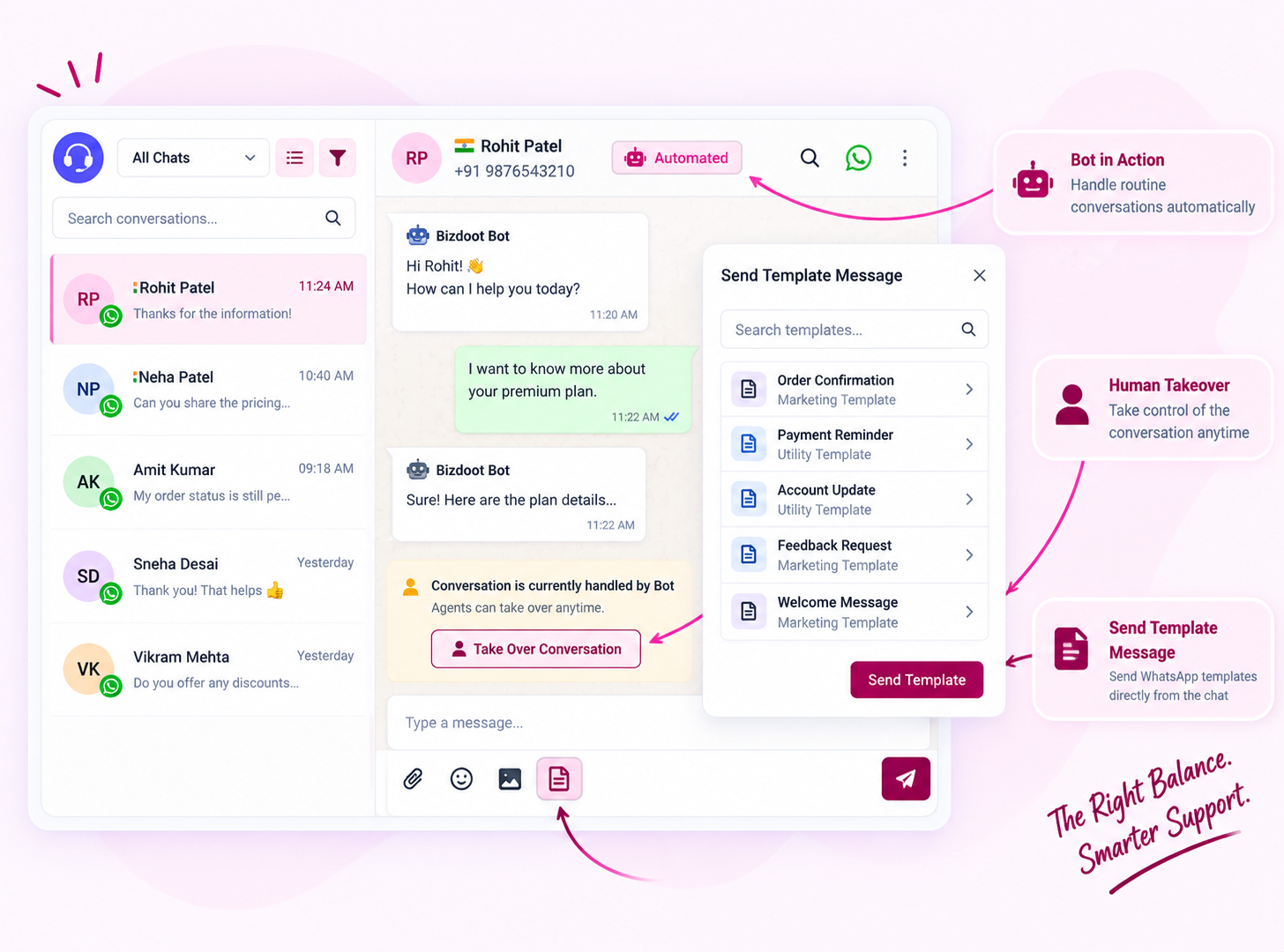
Whether your team is handling sales enquiries, answering customer questions or providing ongoing service, Team Inbox gives everyone a shared environment to manage customer conversations more systematically.
Instead of relying on individual WhatsApp conversations, your team can work with shared access, direct assignment, smart filtering, AI-assisted replies, customer context and automation control—all within the same communication workspace.
The result is a more organized way for growing teams to manage customer conversations while keeping the human connection at the center.
Bring your team, customer conversations, AI assistance and automation control together in one powerful workspace.

First of all you need to sign up or login before accessing the template library. So please go and do signup or login, and then see this section in the dashboard.